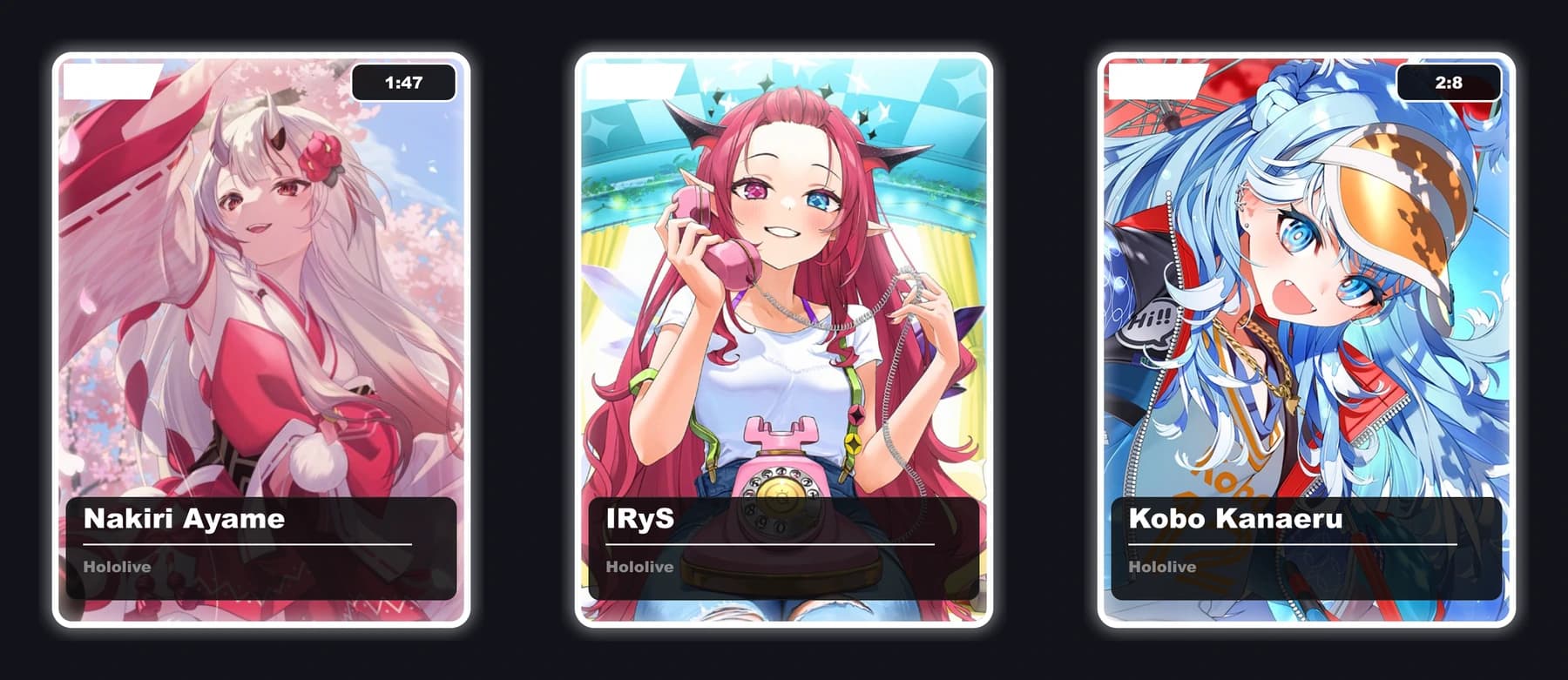
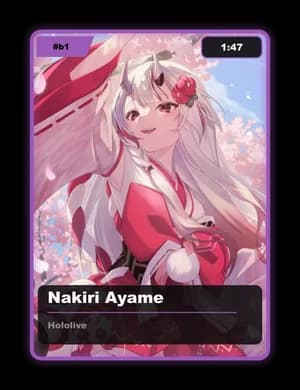
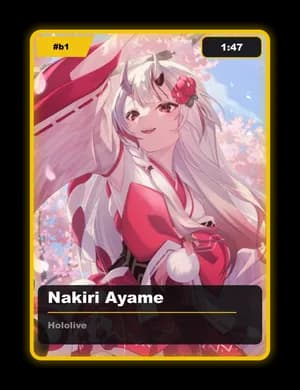
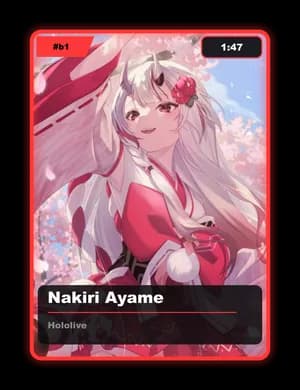
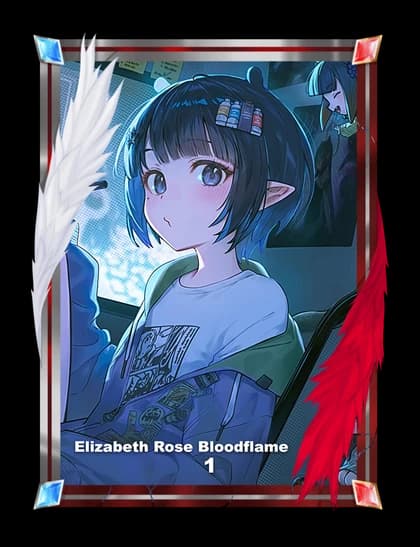
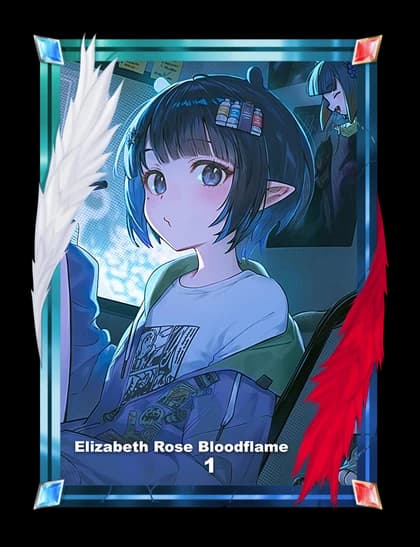
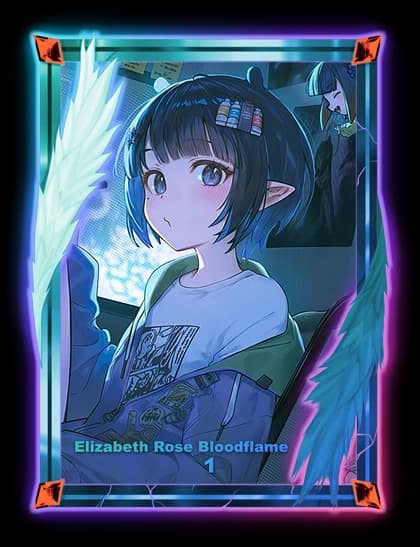
Beautifully rendered character cards, drops you race to claim, packs from the Lost Card Vault, auctions, clans, and a collection that's entirely your own.
On the Way to Meet Mom
Aiya
Astel Leda
Wuhuanzi
Carlotta
Matikanefukukitaru
Master
Rumani
Scroll
0
Collectors
0
Unique cards
0
Characters
0
Active clans
A living collection
Everything a collector wants
Drop & claim
Cards drop in your server every few minutes. Race the 15-second window to claim the rarest pulls before anyone else.
Trade & auction
Swap duplicates safely, bid on daily Print #1–9 ultra-rares in Purgatory, and chase your wishlist with live pings.
Make them yours
Upgrade, frame, dye, and plasma your cards. Apply blessings for buffs and customize a profile worth showing off.
Clans & ladders
Build a clan of up to 50, climb global leaderboards, complete quests, and earn badges that travel with your profile.
Questions
Yes. Collecting, trading, drops, clans, and leaderboards are all free. Premium currencies like Stardust and Celestial are optional cosmetic boosts.
Cards drop into your server channels on a timer. When one appears you have a 15-second window to claim it — first to react wins the card.
Common, Uncommon, Rare, Epic, Legendary, and Mythical. Higher rarities have stronger card glows, and Mythicals carry an animated foil finish.
Absolutely. Lock-protected trading lets you swap duplicates and gift cards safely, and the Purgatory auctions daily Print #1–9 ultra-rares.
Single-character cards
Single Gallery
⌕
⌕
Loading…
Season VII · ends in 9 days
Leaderboard
kaito_drift
7,915
2
👑
aurelia.exe
8,420
1
mirelle
7,480
3
4
sol_nyx
⟡ Ashen Reach
6,902
5
renji.404
⟡ Void Syndicate
6,540
6
hazel.v
⟡ Tidewardens
6,205
7
cobalt
⟡ Astral Court
5,980
8
yuki_03
⟡ Verdant Hollow
5,640
Happening now
Events
Purgatory · Live
Daily Print #1–9 Auction
Nine ultra-rare prints under the hammer. The highest bid when the clock strikes midnight claims the vault.
04
HRS
37
MIN
12
SEC
Limited drop
Eclipse Pack
Foil-only set with raised Mythical odds, from the Lost Card Vault.
Ends Sunday 23:59
Quest
Claim Frenzy
Claim 50 cards this weekend to earn a Stardust bundle.
Clan war
Void vs Astral
Two top clans clash for the season banner. Spectate or back your side.
Starts in 2 days
Inventory
Cosmetics
Frames, Backgrounds, and Plasma you own.
Failed to load cosmetics.
Guest0 Cards
Showcase
Please sign in to view your collection.
Cosmetics
🧩 Frame Builder
Combine sections from your owned Synthesis frames into your own custom frame. Once it's saved, head to Frame Builder → Apply Frame (or Discord's /use frame:<name>) to equip it on a card.
Log in with Discord to build a Synthesis frame combo.
Cosmetics
Apply Frame
Equip a frame or one of your saved Synthesis combos onto any card you own.
Log in with Discord to apply a frame.
Overview
Inventory
◉
—
Gold
✦
—
Star Essence
✧
—
Stardust
❖
—
Celestial
Item Inventory
Loading items...
⛨Staff terminal
Admin
Systems nominal · aurelia.exe
Players◇
48,210
▲ 312 today
Pending review⛨
23
7 flagged
Open reports⚑
5
2 high priority
Cards minted✦
12,408
▲ 18 this week
Image submission queue
23 pending
Airbrush Character — Airbrush Series
by kaito_drift · 14m ago
Orrin — Tidewardens
by mirelle · 41m ago
SolenneFLAGGED
by renji.404 · 1h ago
Recent reports
⚑
Trade scam report
user: ghoul_99 · high priority
⚑
Inappropriate avatar
user: x_void_x · medium
Quick tools
Player Exchange
Trade Center
Safe player-to-player exchanges — pick a partner, build the offer, send it when ready.
Incoming Trades
Outgoing Trades
Past Trades
Players
Search Up
Find another player and browse their showcase and cosmetics.
Market · Shop
Frame Shop
Decorative frames layered over a card's border. Buy with gold, apply with /use.
Loading the shop…
Market · Shop
Background Shop
Backgrounds for your album pages. Buy once to unlock, then pick one in Cards → Albums.
Loading the shop…
Market · Shop
Album Supplies
Albums and pages, bought with gold. A Small album costs 📁 1, Medium 2, Large 3 — then one 📄 per page. Build them under Cards → Albums.
Loading the shop…
Market
⚔️ Fallen Pass
A 30-day pass that pays out daily and unlocks tiered perks the longer you keep it running.
Sign in to view and buy the Fallen Pass.
Support
Website Guide
The bot runs the game; this site is where you arrange, design, browse and bid. Here is where everything lives — and the handful of rules about how the site moves that trip people up.
Three things about getting around
1
The top menu lives on the home page
Open any page and the menu bar is replaced by a single back arrow, top left. That is intentional — press it to return home and the full menu comes back. If the menu has vanished, you are simply not on the home page.
2
On a narrow window it becomes a drawer
Below about 1024px wide — phones, and a half-width desktop window — the whole menu collapses into the ☰ drawer. Every section is still in there, as a list you tap open.
3
Your avatar is a separate menu
Top right, and it is not part of the nav bar. Your profile, the free daily Stardust claim and Star Dust purchases are all in there, and nowhere else.
Sign in with Discord to see your own things. Browsing the gallery, the auctions and the guides works signed out — but anything holding your cards, currency or clan needs the login, and those menu entries are marked below.
Where do I find…
The things people hunt for most.
Arrange an albumCards → Albums
Claim my free StardustAccount menu → Daily Login
Buy a frameMarket → Frame Shop
Put a frame on a cardBuy in Market, wear with /use
Bid on a low printMarket → Purgatory
See who owns a printCards → Card Trace
Check another player's collectionCards → Search Up
Join or manage a clanClan
Buy or extend the Fallen PassMarket → Fallen Pass
Buy from the current eventMarket → Event Shop
Email the teamSupport → Contact Us
Learn the game itselfSupport → How to Play
Report something brokenSupport → Report a Bug
Edit my profile bannerAccount menu → User Profile
Doing things, start to finish
The things you will actually want to do, in the order they have to happen. A few of them cross between two menus, which is the part that catches people out.
Sign in
Top right → Log in
You need A Discord account. You do not have to have played the bot first — signing in creates your account.
Click Log in at the top right and authorise with Discord.
You land back where you started, with your avatar in place of the button.
Browsing the gallery, the auctions and these guides all work signed out. Anything holding your own cards, currency or clan does not.
Find a card
Cards → All Cards
Pick a tab first — Single, Collab or Animated. They are separate galleries because the art is a different shape in each, not filters on one list.
Search by character or series, and sort by what you are looking for.
To see every print of one card and who holds each, use Cards → Card Trace instead.
To look through another player's collection, use Cards → Search Up — you will only see what their privacy settings allow.
See what you own
Cards → the three Inventory entries
You need Signed in.
Card Inventory — your cards.
Cosmetic Inventory — album backgrounds, frames and upgrades.
Item Inventory — items and your currency balances.
They are three separate lists rather than tabs on one page, which is why a frame you just bought is not in Card Inventory.
Build an album
Cards → Albums
You need An 📁 Album item to create one, and a 📄 Page item for each page you add. Both are bought at Market → Album Supplies.
Create an album and name it. The size you choose sets how many card slots each page holds.
Add a page — this is the step that spends a Page item.
Search your cards by character, series or card code, then place one into a slot.
Drag a placed card to move it between slots, and rotate it 15° at a time if you want it sitting at an angle.
Set a background for the page, then preview the finished render.
Arranging only happens here. The bot can open and show an album, but not change one. Backgrounds come from Market → Background Shop (Album tab), or you can draw your own.
Draw your own art
Sketching → Card Sketching or Album Sketching
You need Signed in. Card sketches wear over a card you own; album sketches become page backgrounds.
Draw in the studio — it has layers, blend modes, brush dynamics, a grid and custom brushes, and it saves as a draft you can return to.
When it is finished, hit Submit for review and confirm that you drew it yourself.
It sits at In review until staff look at it.
Approved, you can wear it — and other players will see it. Rejected, you can edit and resubmit the same sketch.
An approved album background is not applied from the studio. Go to your album and pick it there.
Put a frame on a card
Market → Frame Shop
You need Gold for the frame, and a card to wear it.
Buy the frame at Market → Frame Shop. It lands in your Cosmetic Inventory.
Wear it from Discord with /use frame:<name> id:<card code> — or a!u b1 Crimson Seraph if you prefer prefix commands.
Buying and wearing are separate steps, which catches nearly everyone out once. A bought frame sits in Cosmetic Inventory doing nothing until you apply it to a card.
Bid at auction
Market → Purgatory or Fallen Market
You need Stardust for prints 1–9, Gold for prints 10–99.
Open the board and pick a card. Both boards are the same ones the bot shows, so bidding here or in Discord is interchangeable.
Place your bid — it is held straight away, and refunded in full the moment somebody outbids you.
Everything settles at 00:00 UTC.
Purgatory mints you a fresh copy at that print. Fallen Market hands over the actual card seized from a banned player, with its frame, plasma and upgrades intact. Bidding in the last minute pushes the whole board back 10 minutes, so sniping gains you nothing.
Trade with someone
Market → Trade
You need Signed in, and the other player has to be there too.
Open a trade and add the cards and currency you are offering.
Both sides review the full summary.
Both sides confirm. Nothing moves until they do.
Claim your free Stardust
Account menu → Daily Login
You need Signed in.
Open Daily Login from your avatar menu.
Solve the captcha — type the characters shown in the image. Ask for a new one if it is unreadable.
Claim. It comes back once every 24 hours.
This is the only free source of Stardust. The bot's /daily pays Gold and Celestial instead. If you want more than the daily, Account menu → Buy Star Dust.
Set up your profile
Account menu → User Profile
You need Signed in.
Upload a banner and crop it to fit.
Set your primary and secondary text colours.
Preview it — including the animation, if your banner has one — then save.
This is what other players see when they look you up.
Join or run a clan
Clan
You need Signed in. Until you are, this menu just asks you to log in.
No clan yet: Join a clan lets you browse and request to join one.
Once you are in: My clan is the clan's page, Vault is where you donate cards and currency, and Clan logs is recent activity.
Officers and above also get Clan control, for approving requests, kicking, promoting and demoting.
Active quests and Top clans are visible to anyone signed in, clan or not.
Upgrades is where the Owner and Co-Leaders spend the vault on clan upgrades, clan blessings and Series Focus.
Shop an event
Market → Event Shop
You need An event running. When none is, the page says so.
Open the shop to see what the current event sells and until when.
Buy here, or in Discord with /event view and /event buy listing:<number>. It is the same shop either way.
The menus, in full
Every entry across the eight menus, for when you just want to know what something is. Badges mark the ones the menu only shows you in a particular state.
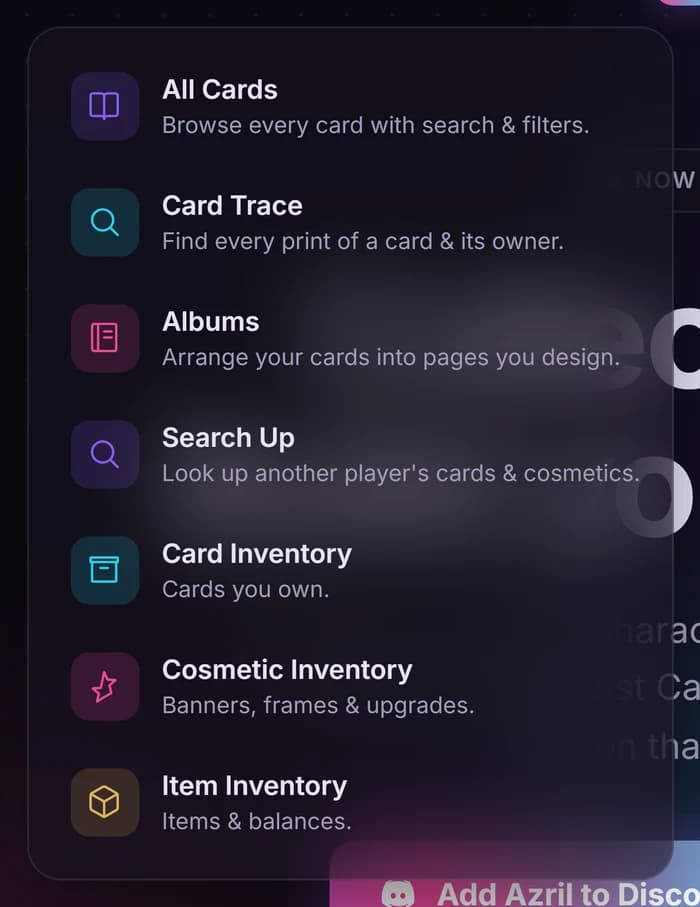
Cards
Everything you own, plus the full catalogue of everything that exists.
What it looks like when you open it.
All Cards
The complete gallery — every card in the game, searchable and filterable. Split into Single, Collab and Animated, because the art is a different shape for each.
Card Trace
Follow one character across every print that exists and see who currently holds each one.
Albums
Build album pages by hand: drag cards into slots, add pages, apply backgrounds. This is the only place album arranging happens — the bot can only view them.
Search Up
Look up another player's cards and cosmetics, subject to their privacy settings.
Card Inventory
Signed in
Your own cards. Filter by edition or series, sort by newest, print or wishlist count, and tag or lock many cards at once.
Cosmetic Inventory
Signed in
Album backgrounds, frames and upgrades you own.
Item Inventory
Signed in
Your items and currency balances.
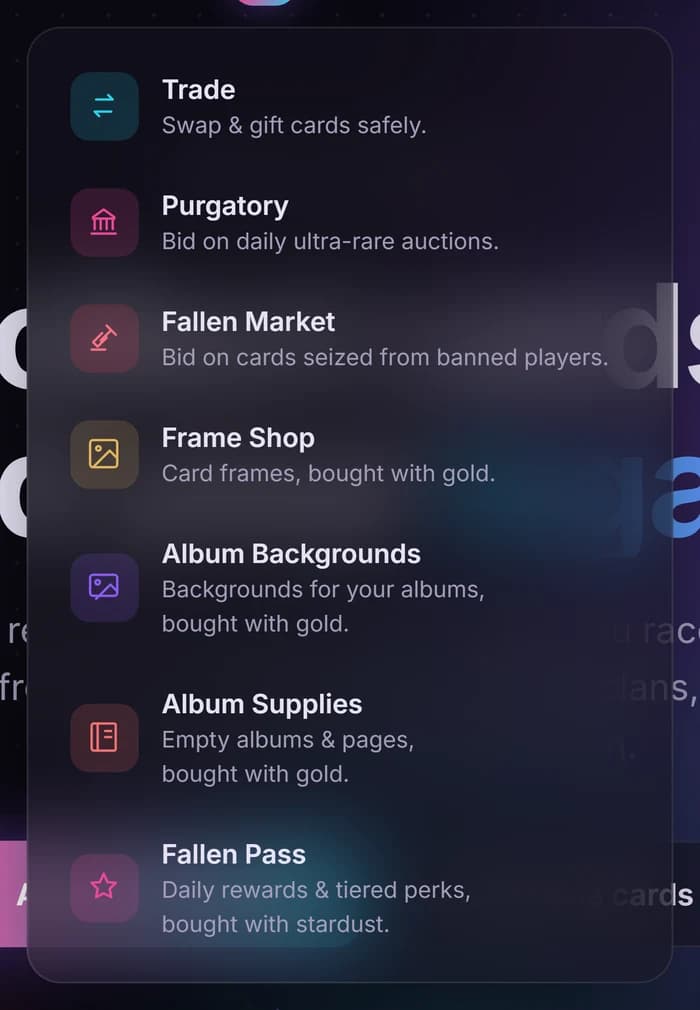
Market
Every way to spend, trade or bid. The two auction boards here are the same boards the bot shows — bidding in either place is interchangeable.
What it looks like when you open it.
Trade
Swap and gift cards safely, with both sides confirming.
Purgatory
The daily low-print auction. Prints 1–9 are bid in Stardust, 10–99 in Gold, and everything settles at 00:00 UTC.
Fallen Market
Bid on cards seized from banned players. Unlike Purgatory you win the actual card — its frame, plasma and upgrades come with it.
Event Shop
Limited-time items from the event running now. The same shop the bot shows with /event view.
Frame Shop
Decorative card frames, bought with Gold.
Background Shop
Backgrounds bought with Gold, in two tabs: Album (for your album pages) and Battle Board (for your side of a dungeon battle). Each only works in its own place.
Album Supplies
Empty albums and pages, bought with Gold.
Fallen Pass
Buy or extend the pass and track your tier progress. Bought with Stardust.
Staff Shop
Staff only
Staff-only rewards, bought with Merit.
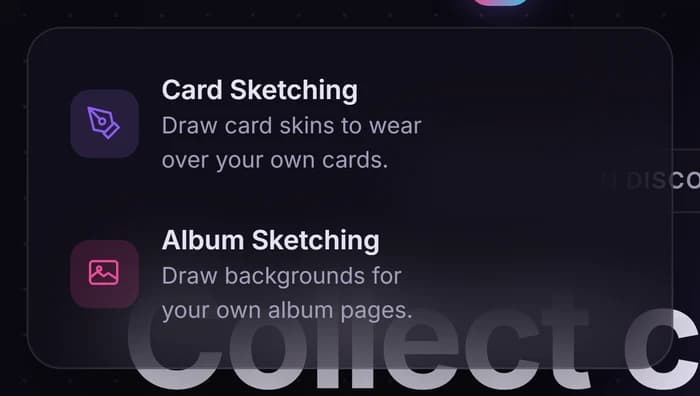
Sketching
Draw your own art and wear it. Submissions are reviewed by staff before they go live.
What it looks like when you open it.
Card Sketching
Signed in
Draw a skin worn over your own card's artwork.
Album Sketching
Signed in
Draw a background for your own album pages.
Battle Board Sketching
Signed in
Draw a Battle Board Background for your side of dungeon battles.
Clan
Signed out this menu just asks you to log in. What it shows afterwards depends on whether you are already in a clan.
Active quests
Signed in
Clan events running right now.
Top clans
Signed in
The ten strongest clans.
Join a clan
No clan yet
Browse clans and ask to join one.
My clan
In a clan
Your clan's page — members, level and standing.
Vault
In a clan
Donate cards and currency to the clan.
Upgrades
In a clan
Permanent clan upgrades paid with vault Gold, timed clan blessings paid with vault Stardust, and Series Focus. Owner and Co-Leaders buy.
Clan logs
In a clan
Recent clan activity.
Clan control
Officer+
Approve requests, kick, promote and demote.
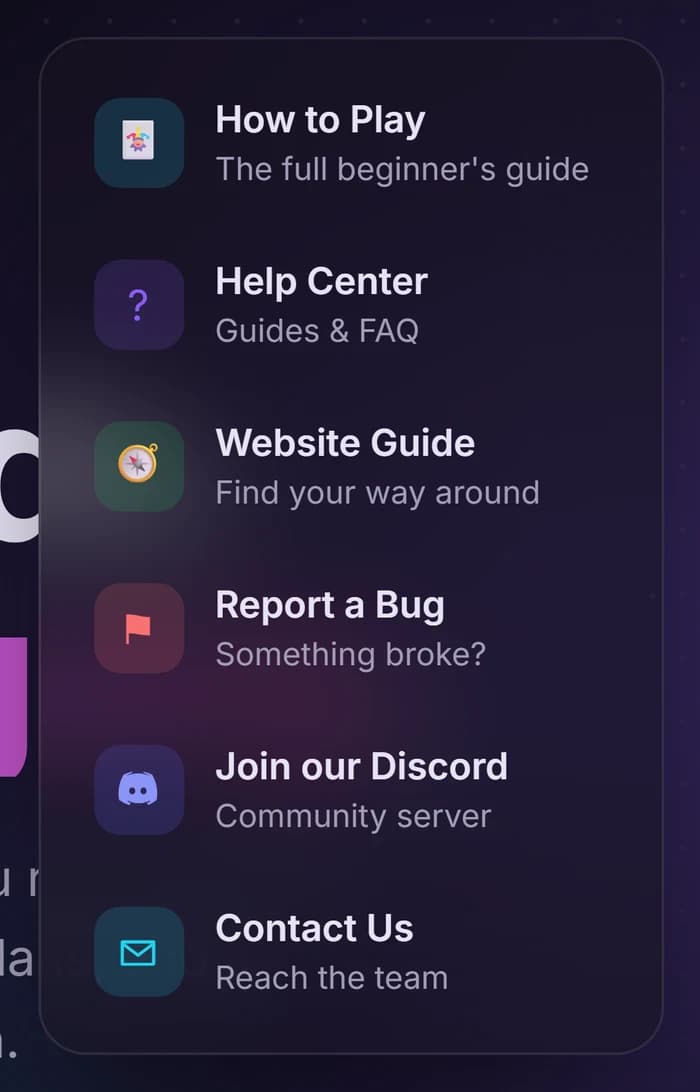
Support
Where to go when something is unclear or broken. You are in this menu now.
What it looks like when you open it.
How to Play
The full beginner's guide to the game itself — drops, claiming, rarity, plasma, auctions and clans, every step written as both a slash and a prefix command.
Help Center
Shorter topic guides and a FAQ.
Website Guide
This page.
Report a Bug
Signed in
Tell the developer something broke. You can attach screenshots.
Join our Discord
The community server — opens Discord in a new tab.
Contact Us
Email the team: support, bugs, reports, appeals or business. Pick the inbox and it opens your mail app.
Partnership
Communities running Azril.
Featured Servers
Partnered Discord servers you can join, with their live member counts.
Partner with Azril
Signed in
Run a server yourself? Apply to have it listed on Featured Servers.
Your avatar menu
Top right, on every page. Worth knowing about because most of it is easy to miss entirely.
🪪 User Profile
Your public profile card: banner, badges and the cards you have chosen to show off.
📅 Daily Login
Claim Stardust once every 24 hours. This is the only free source of Stardust — the bot's /daily pays Gold and Celestial instead.
✨ Buy Star Dust
Purchase Stardust directly.
🔔 Notifications
The bell beside your avatar. A red count (up to 99+) of what is waiting for you: incoming trade offers, clan invites and requests, and your Daily Login when it is ready.
Staff accounts see extra sections in this menu — admin tools, card management and review queues. If you do not have them, they are not missing, you just do not have the role.
This page covers where things are. For how the game itself works — drops, claiming, rarity, plasma, auctions — read How to Play.
Support
How to Play
Cards drop in your channel. You get sixty seconds to click one before somebody else does. Everything after that — burning, upgrading, painting, trading, hoarding — is yours to work out. Here is all of it, slash command first, prefix command right beside it.
123
A live drop. Card 3 is already gone.
Slash
/drop/collection user:@friend
Type / and Discord lists everything, with autocomplete and a labelled box per option. Best while you are learning.
Prefix
a!dropa!c @friend
Short aliases, no menus, no autocomplete. Options are positional, so order matters. Best once you know the commands.
The default prefix is a! — staff can change it with /prefix set, so if a!drop does nothing, run /prefix view to see what your server uses. Multi-word values that are not last need quotes.
01
Open a channel
Server staff, once
Azril arrives fully locked — nothing works anywhere until somebody with server permissions opens a door. Go to your bot channel and run one of these.
a!channel allow-alla!channel allow drop #cardsa!server unlock
◆`allow-all` opens every command in the channel you are standing in. `/server unlock` opens the whole server at once.
◆`/channel list` and `/server list` show where things currently stand.
◆Once the Azril team has switched auto drops on for your server, `/server autodrop channel:#cards` makes the bot drop cards there by itself every half hour or so, as long as people are chatting. `/server autodrop-off` stops it.
02
Sign in, then turn on reminders
Everyone, once
A brand-new Discord account signs in on this website once before the bot will play with it — /verify gives you the link (slash only). After that the first command you run creates your account. Azril sends help pages and cooldown alarms by direct message, so open your DMs for the server too.
Slash
/verify/rm/rm command:All/help command:drop
Prefix
a!rma!rm alla!help drop
◆`/rm` on its own opens your reminder panel: one button per cooldown. Name one (`/rm command:Drop`) to flip just that one.
◆Reminders repeat: you are DM'd every time a cooldown comes back, until you switch it off.
◆`/shop`, `/daily`, `/help`, `/rm` and `/inventory` also work in a direct message with the bot, slash or prefix. Everything else needs a server.
03
Drop cards
Three random cards, posted for the whole channel. You pay the cooldown; anybody can claim them.
Slash
/drop/stardrop
Prefix
a!dropa!da!stardropa!sd
◆15 minute cooldown — four cards instead of three with a Fallen Pass at tier 1 or above.
◆On cooldown anyway? An Extra Drop is spent automatically and your timer is left untouched.
◆The plain white border on all three is the mystery frame, not a rarity. Rarity stays hidden until a card is claimed.
◆Once in a while a drop arrives as a single Collab or Animated card instead of three, with no caption at all.
◆Got a ⭐ Special Drop from an event or quest? /stardrop spends it on a drop with +30% odds of Collab, Animated, Exclusive and Shiny cards. No cooldown, and your /drop timer is left alone.
04
Claim one
There is no claim command — you click the numbered button under the drop. Blue means available, grey means somebody got there first.
Slash
/cooldown
Prefix
a!cooldowna!cd
◆For the first 10 seconds only the dropper may claim. After that it is open to the channel.
◆The drop stays live for 60 seconds, then the buttons die.
◆One card per grab, on a 10 minute timer that is separate from your drop timer.
◆Two clicks on the same card within a third of a second go to a lottery, not first past the post - and the dropper always wins a claim fight on their own drop.
05
See what you got
Every card you own carries a short code — b1, c4, 1. That code is how you name it in every other command. Leave it out and card commands default to your latest claim.
◆The ribbon top left is the card's code; top right is edition : print. Low prints are worth real money at auction.
◆Collection filters stack: `p<10` print under ten, `r:l` Legendary, `r:sp` every special, `s:Tekken` one series, `o:wl` wishlisted first.
◆`/lookup character:Naruto` (`a!lu Naruto`) shows how many copies of a character exist across every edition.
◆`/cardtrace` lists every minted copy of a character — code, print, edition and who holds it. `/cardhide cards:b1` (`a!ch b1`) takes one card off that list without making your whole collection private.
06
Daily and money
Your daily is the floor under everything else. Gold and Celestial come from playing; Stardust is a purchase currency earned on the website or bought outright.
Slash
/daily/userinfo/inventory/referral code
Prefix
a!dailya!uia!inva!ref code
◆💰 Gold — daily and burning cards. Wishlist slots, album supplies, mid-print auctions.
◆💎 Celestial — daily and the Fallen Pass. Buys Extra Drops and Extra Grabs.
◆✨ Stardust — the website's daily login, or bought. Fallen Pass, blessings, clans, renames, low-print auctions, rare plasma rolls.
◆🧪 Star Essence — burning cards. Card upgrades.
◆Bringing a friend? Give them your `/referral code`; they enter it with `/referral claim`, and `/referral progress` shows the tasks that unlock the reward.
07
Burn, upgrade, tag, lock
Duplicates are currency. Cards you actually care about get labels and locks, so a bulk burn can never take them by accident.
◆Burning is permanent — the card leaves circulation. It confirms first, and `/multiburn` confirms twice.
◆Upgrades can fail, but failures build pity, so a bad run improves the next attempt.
◆Tags feed straight into `/collection tag:favorites` and `/multiburn tag:dupes`, which is the whole point of them.
◆`/tagauto` tags every new card of a series the moment you claim or receive it. Set `tag_existing` to True to tag the ones you already own too.
◆A locked card cannot be burned, given, traded or donated until you `/unlock` it (`a!ulk`). You can also lock and tag cards from Card Inventory on the website.
08
Wishlist and pings
Two separate settings, and people constantly set only the first one. A wishlist on its own pings you nowhere.
Slash
/wishlist add character:Naruto/wishlist series add series:Naruto/wishwatch add/wishwatch list/wishupgrade
Prefix
a!wla Narutoa!wlsa Narutoa!wwaa!wwa!wup
◆Run `/wishwatch add` standing in the channel you actually read — that is what turns pings on.
◆One watched channel by default, five at Fallen Pass tier 2, shared across every server you are in.
◆Nicknames work: `Deku` finds Izuku Midoriya. Two characters with one name? `a!wla c:Ivan s:Alien Stage` picks the right one.
◆A series wishlist pings you for every character in that series, and forgives small spelling slips.
◆Every wishlist command has a one-word prefix shortcut: `wla` add, `wlr` remove, `wlv` view, and `wlsa` / `wlsr` / `wlsv` for series.
◆Wishlist slots get pricier the longer your wishlist grows.
09
Give and trade
Nothing moves without the other person pressing a button.
◆🍀 Fortune and 🌾 Abundance can refund a drop or grab cooldown. ⏬ Drop and 🔓 Claim shorten them. 🎰 Jackpot improves your rarity odds. The How Blessings Work button in `/shop` explains each one.
◆Server blessings boost a whole server's auto drops instead of just yours. Buy one anywhere, then activate it inside that server with `/use blessing`.
◆During an event, `/event view` lists its limited-time shop and `/event buy listing:1` buys from it. The same shop is on the website at Market → Event Shop.
◆The ⚔️ Fallen Pass pays out every 24h and unlocks tiers the longer you keep it running — four-card drops, five watched channels, a second grab.
◆`/magebag` (`a!bag`) is the vault that stops Extra Drops and Grabs being auto-spent when you would rather save them.
11
Frames, names and albums
A frame is an item you wear on one card, replacing the plain rarity border with real artwork. It is also what plasma paints.
Slash
/use frame:Crimson Seraph id:b1/frame remove id:b1/rename id:b1 name:Ei/album series series:Naruto
Prefix
a!u b1 Crimson Serapha!fr remove b1a!rn b1 Eia!al series Naruto
◆In prefix the card code comes first, then the frame name. `a!u b1` on its own opens an interactive picker.
◆`/rename` shows one of the character's real aliases on your copy. Cosmetic only, and it travels with the card.
◆Binders fill themselves in — `/album series` greys out every character of a series you are still missing.
◆Plasma has one-word prefix shortcuts: `a!pl` lists yours, `a!pu b1` unlocks (or `a!plu`, `a!pl u`), `a!pi b1` shows its info (or `a!pli`, `a!pl i`), `a!ps b1 glow c3` paints a zone (or `a!pls`, `a!pl s`), `a!pc b1` clears it (or `a!plc`, `a!pl c`), and `a!pr b1` recharges (or `a!plr`, `a!pl r`).
12
Auctions
The only reliable way to buy a low print. Two boards, same rules, different stock.
Slash
/purgatory/fallenmarket
Prefix
a!purga!fm
◆Purgatory mints you a fresh copy at that print. The Fallen Market hands over the actual card, frame and plasma included.
◆Prints 1–9 are bid in Stardust, prints 10–99 in Gold. Your bid is held, and refunded in full the moment you are outbid.
◆Everything settles at 00:00 UTC. A bid in the final minute pushes the whole board back 10 minutes, so sniping gains you nothing.
13
Clans
One command with a whole social system under it. Roles run Member → Officer → Co-Leader → Owner, each unlocking more of the subcommands.
◆Founding and renaming a clan cost Stardust; transferring ownership costs Gold.
◆Leaving puts you under a 7 day rejoin lockout, so do not leave to test something.
◆Clans gain levels from members simply playing — claiming cards feeds clan XP automatically.
◆Clan upgrades and clan blessings are bought on the website at Clan → Upgrades, paid from the clan vault. Every member can see them; only the Owner and Co-Leaders can buy. Series Focus picks up to four series that turn up more often in members' drops.
Rarity, and the frame that shows it
Rarity is rolled when the card drops and stays hidden until it is claimed. The border colour is how you read it at a glance, and the same colour is the dot beside each row of your collection. Most common on the left, rarest on the right — the exact odds are not published.
Common
Uncommon
Rare
Epic
Legendary
Mythical
Above the ladder sit the specials — no rarity and no print number at all, only a tier: ✨ Shiny, 💎 Exclusive, 🔮 Collab, 🎞️ Animated.
Plasma
Every card in the game is hiding a colour it has not rolled yet. Unlocking that colour is a gamble; spending it is the closest thing Azril has to a craft. Nothing exists until you pay to roll it — and unlocking keeps the card.
Slash
/plasma unlock id:b1 currency:stardust/plasma info id:b1/plasma list/plasma set card:b1 zone:1 source:c3/plasma clear card:b1
Prefix
a!pl unlock b1 stardusta!pl info b1a!pl lsa!pl set b1 1 c3a!pl clear b1
Which currency you pay decides what you can roll: Gold (the default) reaches only the two everyday types, Stardust rolls the full table and is the only route to the rare ones. A roll gives you a type and one to four colours. /plasma list shows every colour you have rolled, filterable by type and colour.
The six types
🎨 Plain
2–3 colours · common
A clean dip-dye with no texture over it. What almost every Gold roll gives you.
🔥 Scorch
2 colours · uncommon
Burns the frame's own detail into embers and char. The one rare-ish type Gold can still reach.
📺 Corrupted
3 colours · rare
Scanline glitch, banded off the frame's own shading. Reads like a broken signal.
⚠️ Error
3 colours · rare
Edge-slice glitch — tearing at the silhouette instead of banding across it.
🌟 Glow
2–4 colours · very rare
The odd one out. It cannot touch the frame body at all — it only lights the halo around the card.
💠 Pure
exactly 1 colour · the chase
One flawless colour, no second tone and no texture. The rarest thing in the system by a wide margin.
The five zones
Plasma only works on a card that already has a frame applied. Zones are picked by number — on slash the box is a dropdown reading 1 - Base Frame through 5 - Outer Glow.
Zone
You type
What it recolours
Charge
Base Frame
1
The main body of the frame art
Costs a charge
Back Accents
2
The layer sitting behind the card
Costs a charge
Front Accents
3
The layer sitting over the card
Costs a charge
Name Text
4 or text
The character's name along the bottom
Free
Outer Glow
5 or glow
The halo around the whole card — Glow plasma only
Free
What painting actually does
Framed, unpainted. The frame's own colours, straight out of /use.
One zone. Base Frame painted from a teal source. The wings are untouched — they are a different zone.
All five. Three frame zones, the name text, and a Glow source lighting the halo.
The colour lives on the source card, not the card you paint. Painting does not consume it or move it. One great roll sitting in your collection can dress every framed card you own. Each card carries three paint charges, one per frame-art zone — Name Text and Outer Glow are always free.
Stuck on one command? /help command:drop sends you the detailed page for any command by DM. Prices, reward amounts and drop rates are left out here on purpose — they are still being balanced, and the bot always quotes the live figure before it charges you.
Support
Help Center
Guides and answers to get you collecting, trading, and building your clan.
🚀
Getting Started
New account? Sign in on this site once (/verify gives you the link), then use /drop to summon cards and /collection to see what you own.
🎴
Drops & Claims
Run /drop, or wait for your server's auto drops. Click a numbered button under the drop to claim one — the dropper gets the first 10 seconds.
🔄
Trading
Open a trade, add your cards and currency, request theirs, then review the summary and send the offer.
🛡️
Clans
Join or create a clan to chat, pool a shared vault, and climb the clan leaderboards together.
✨
Cosmetics & Currency
Spend gold, stardust, and celestial on frames, borders, and plasma to customise your cards.
🏆
Leaderboards
Compete across collection size, burns, and clan power. Check the Leaderboard page to see where you rank.
Frequently asked
Yes. Collecting, trading, drops, clans, and leaderboards are all free. Premium currencies like Stardust and Celestial are optional cosmetic boosts.
Anyone can /drop on a 15 minute cooldown, and servers can also get auto drops in one channel. Claim by clicking a numbered button within 60 seconds. The dropper has the first 10 seconds to themselves, and a tie goes to a lottery.
Some of it. /shop, /daily, /help, /rm and /inventory work in a direct message with the bot, slash or prefix. Everything else needs a server.
Open the Trade page, choose a player, then add the cards and currency you're offering and the cards you want in return. Review the Summary tab and send the offer.
Common, Uncommon, Rare, Epic, Legendary and Mythical, shown by the border colour. Above them sit the specials: Shiny, Exclusive, Collab and Animated.
Your /privacy settings control it. /privacy website:true lets people find you here, and there is a separate switch for your collection, inventory, wishlist and albums.
Head to Report a Bug under Support, describe what happened, and attach a screenshot if you can. The developer reviews every report.
Still need help?
Can't find what you're looking for? Send us a report and we'll take a look.
Support
Report a Bug
Found something broken? Tell us what happened and we'll look into it.
Sign in with Discord to submit a bug report.
Developer
Reports
Review bug reports submitted by players — accept or reject each one.
You don't have access to this page.
Clan
Join a clan
Public clans you can join instantly; private clans require a request the clan's leaders approve.
No clans found.
You're not in a clan yet.
Join a clan to use the vault.
Join a clan to read its mailbox.
Join a clan to view its logs.
Join a clan to design a badge.
Active quests
Events
Loading events…
Join a clan to see its upgrades.
Card Sketching
Card-shaped drawings. Once staff approve one, wear it over any of your own cards as a removable skin.
Log in with Discord to start drawing.
Album Sketching
Album-page-shaped drawings. Once staff approve one, set it as the background of any of your albums.
Log in with Discord to start drawing.
Battle Board Sketching
Wide drawings for your half of the dungeon battle board. Once staff approve one, pick it as your Battle Board Background on the battle screen.